A QR code on every table
Each table gets its own QR code, grouped by section such as Indoor or Terrace. Print branded QR cards in square or vertical size.
Book tickets, save events, and discover what's happening near you.
Eventsflare Dine-In puts a QR code on every table. Guests scan, browse your menu with dish photos, order and pay by UPI from their own phone, and each order lands on your live kitchen screen. There’s no app to install, and 0% Eventsflare commission on direct UPI payments.
Talk to our team → Chat on WhatsApp
Our team switches Dine-In on for your venue and helps you set up your tables and menu.
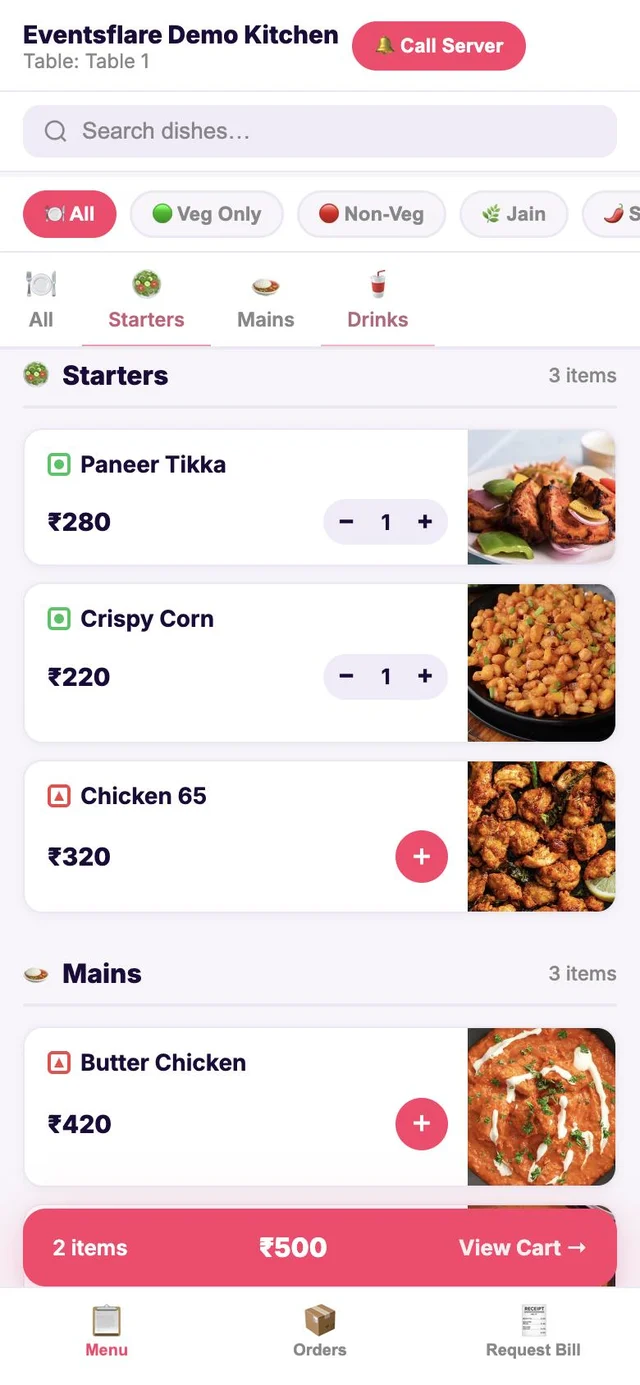
Many venues start with a QR code menu for restaurants, and a view-only menu still leaves staff taking every order by hand. A true table ordering app lets guests order and pay, and gives your kitchen a live view of what’s coming. That’s what Dine-In adds.
| At the table | QR code menu only | Eventsflare Dine-In |
|---|---|---|
| Shows the menu on the guest’s phone | Yes | Yes, with dish photos, search and diet filters |
| Guest places the order | No, staff still take it | Yes, from the table, in as many rounds as they like |
| Order reaches the kitchen | By a waiter, a shout or a paper slip | On a live kitchen screen: New, Preparing, Ready, Served |
| Calling a server | Wave and wait | One tap on the Call Server button |
| Bill and payment | Separate, at the counter | Bill with tax, then UPI, online or pay at the venue |
| Bringing guests back | Nothing | Opt-in contacts, coupons and offers |
From setting up your tables to the guest paying the bill, contactless ordering for a restaurant takes four steps.
Add your tables and sections, then your menu with categories, prices, dish photos and diet tags. Every table gets its own QR code. Download branded QR cards and print them for the tables.
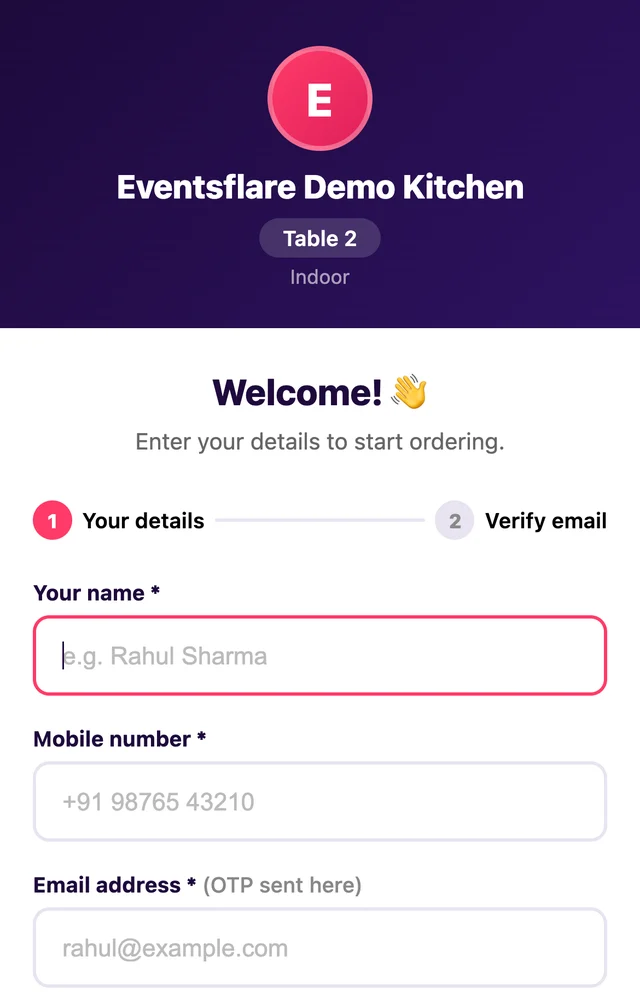
Guests scan the QR on their table. They enter their name, mobile number and email, confirm the email with a one-time code, and open your menu. They add dishes to the cart, place the order and can order again as the meal goes on. A Call Server button is always one tap away.
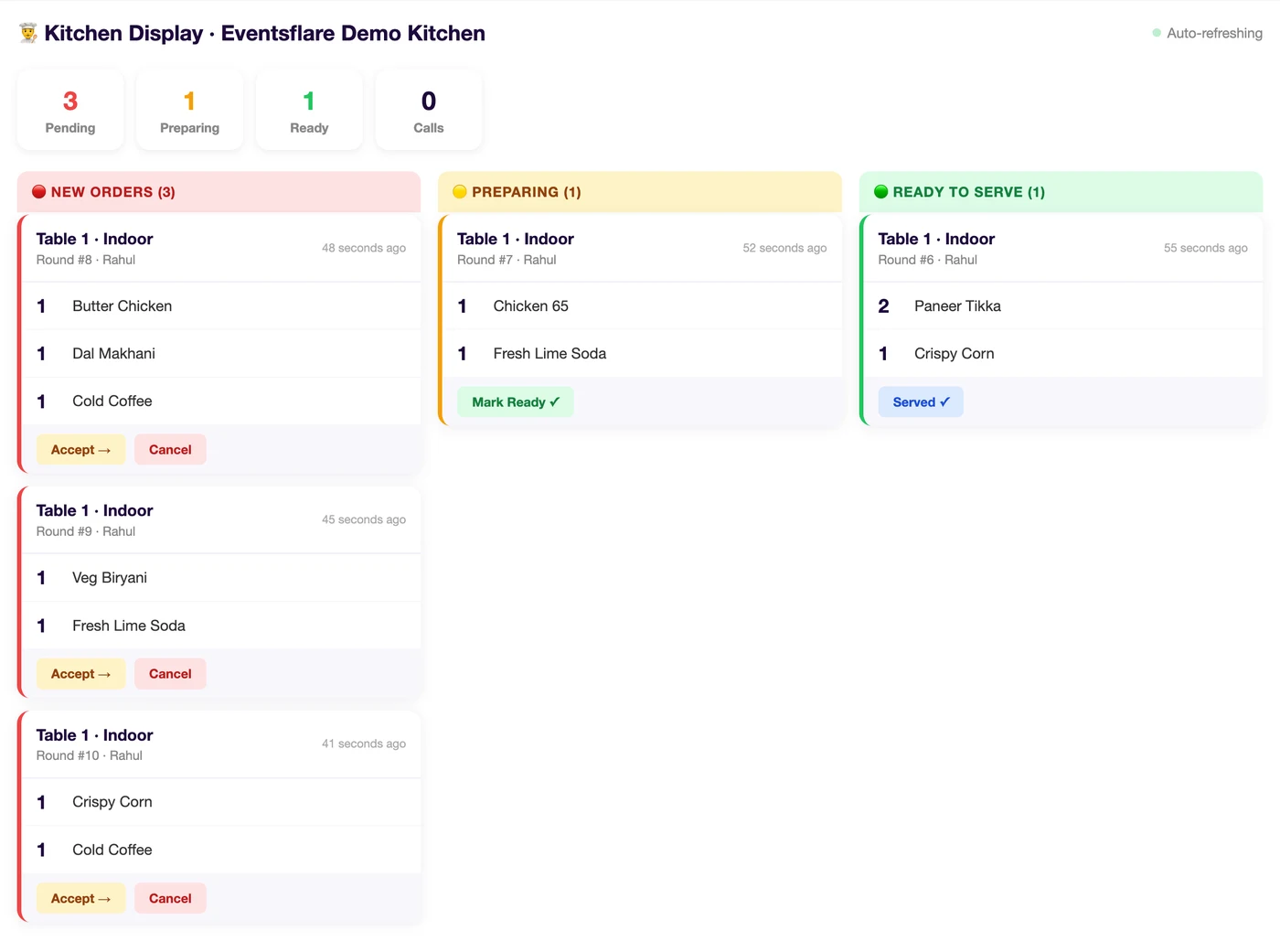
Each new order appears on your live kitchen screen. Your server confirms it at the table, and your team moves it through Preparing, Ready and Served. Open this kitchen display in your partner account on a tablet or monitor in the kitchen.
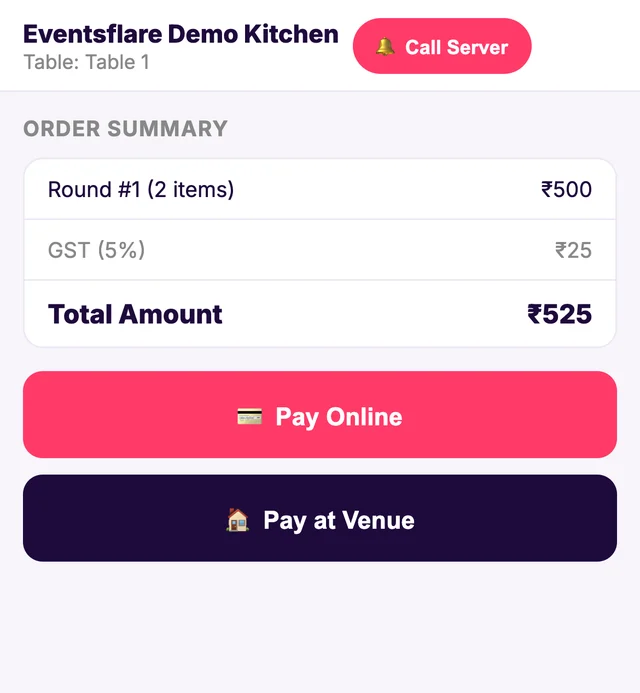
The guest asks for the bill, sees the total with tax and chooses how to pay: pay your UPI ID directly, pay online, or pay at the venue. You confirm direct UPI payments in your own UPI app, and the money goes to your account.
A restaurant QR code ordering system with the tools a busy venue actually uses.
Each table gets its own QR code, grouped by section such as Indoor or Terrace. Print branded QR cards in square or vertical size.
Your menu behind a digital menu QR code, with prices, dish photos and search, plus Veg, Non-Veg, Jain, Spicy, Gluten-Free and Must Try filters.
A simple kitchen display system for restaurants: every order appears as New, then moves to Preparing, Ready and Served as your team works through it.
Your server confirms each order at the table before it is prepared, which keeps fake or mistaken orders out of the kitchen.
Guests ask for help in one tap, and your team sees the call straight away.
Guests pay your own UPI ID and you confirm in your UPI app. Eventsflare charges 0% commission on direct UPI payments.
Create offers and coupons guests can apply on their bill, and set how much discount your staff can give.
See revenue, orders, average order value, a daily trend and your top dishes, all in one place.
With Dine-In you add your own UPI ID. When a guest pays by UPI, the payment goes directly to you, and Eventsflare charges 0% commission on direct UPI payments. Your team confirms each payment in your own UPI app.
Guests who prefer to can also pay online or at the venue, so nobody is stuck at the table waiting for the bill machine.
Want to know more? Contact our team for pricing and to get Dine-In set up for your venue.
A plain QR menu forgets the guest the moment they leave. With Dine-In, every guest who opts in becomes someone you can invite back with an offer, and your sales dashboard shows which dishes and days are working.
Because Eventsflare is also where people find events, venues that host gigs and parties can list them for free and put them in front of the same city’s audience.
If you have tables and a menu, Dine-In can run them. Venues across India use Eventsflare to list their events.
Take more orders in a rush with the same team, and send every order to the kitchen without a paper slip.
Let guests order at their own pace, add rounds without waiting and pay at the table.
Keep busy nights moving. Guests order and call a server without flagging anyone down.
List your gigs and parties on Eventsflare and run table service from the same partner account.
Give each section, such as Indoor, Terrace or Bar, its own tables and QR codes.
A simple menu with photos is all you need, and guests can pay straight from the table.
Eventsflare is where people in your city find parties, gigs and workshops. Use the same venue account for Dine-In table service and to list your events for free, sell tickets and check guests in at the door.
Whichever table ordering app you choose, these steps get a venue ready for its first QR order.
It lets guests scan a QR code on their table, browse your menu, order and pay from their own phone. The order appears on your kitchen screen, so your team spends less time taking orders and more time serving. Eventsflare Dine-In is a QR ordering system built for restaurants, cafés, pubs and lounges in India.
No. A QR code menu only shows your menu on the guest’s phone. QR ordering also lets the guest place the order, add more rounds, call a server, see the bill and pay, and sends each order to your kitchen screen.
No. Guests scan the table QR and everything opens in their phone’s browser. They enter their name, mobile number and email, confirm the email with a one-time code, and start ordering.
A new order shows on your live kitchen screen straight away. Your server confirms it at the table, and it then moves from Preparing to Ready to Served. The confirmation step helps keep fake or mistaken orders out of the kitchen.
You add your own UPI ID. The guest pays that UPI ID directly and taps “I have paid”, and your team confirms it in your own UPI app. The money goes straight to your account and Eventsflare charges no commission on direct UPI payments. Guests can also pay online or at the venue.
Yes. You can group tables by section, such as Indoor, Terrace or Bar, and show a different QR on each table. It suits restaurants, cafés, pubs, lounges and any venue with table service.
Yes. The digital menu has search plus Veg, Non-Veg, Jain, Spicy, Gluten-Free and Must Try filters, and each dish can have a photo and a price.
Add your tables in your partner account and each one gets its own QR code. You can download branded QR cards, in square or vertical size, and print them for the tables.
Guests who tick the marketing opt-in become contacts you can reach with offers and updates. You can also create coupons and offers, and your dashboard shows revenue, orders, average order value and your top dishes.
Yes. You can add team members with a Staff role that only opens Dine-In: tables, kitchen and bills. You can switch a staff account off at any time, for example when someone leaves.
Contact our team. We switch Dine-In on for your venue, share the pricing and help you set up your tables, menu and QR codes, so you can take your first QR order quickly.
Talk to our team and we’ll switch Dine-In on for your venue and help you set up your tables and menu.